To create a Question post:
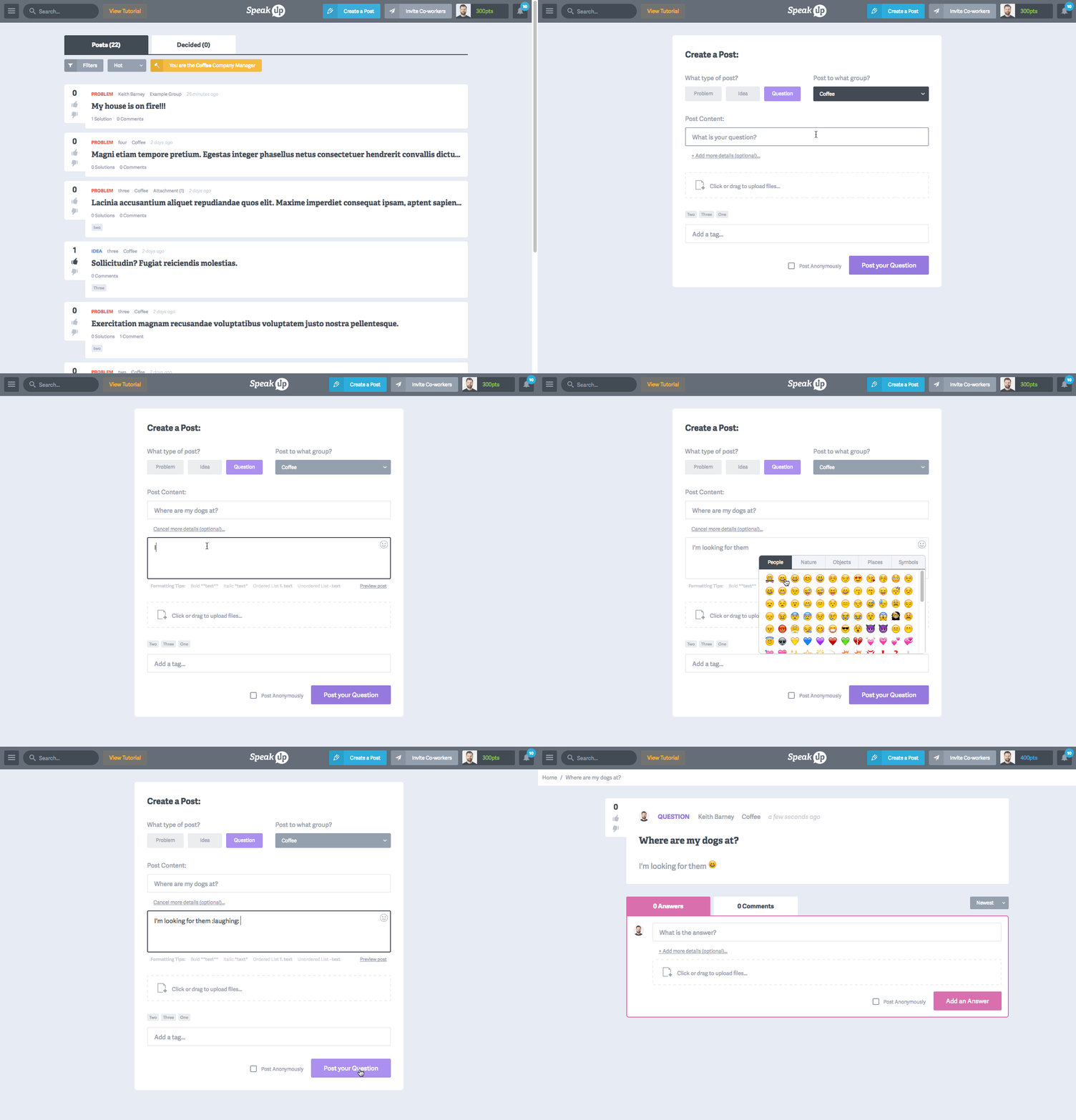
- Click the button from the header
- Select the post type and choose which Group you want to post to
Note: To create a group, choose the last option from the Group menu - Under "Post Content" type in your Question
- If you want to elaborate on your Question, click "Add more details..."
- Additional options when posting:
- Upload Files (Jpgs, PNG, PDF, etc)
- Add Tags
- Post Anonymously
- When you feel like your post is ready, click the button at the bottom
To add an Answer post:
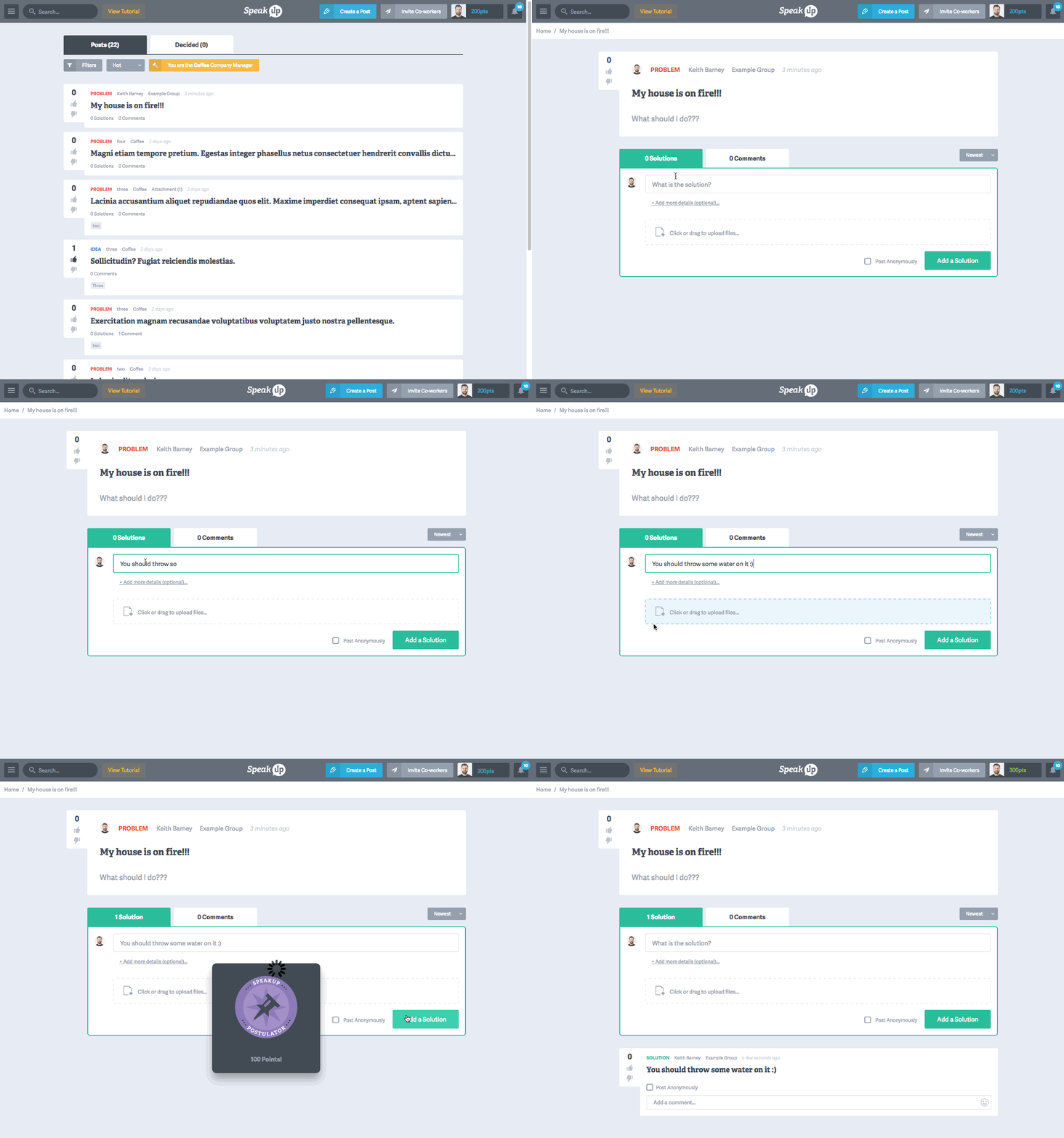
- Click on any Question post from the main feed
- Just below the post details, you will see tabs for Answers & Comments. Click on the tab
- Next to your photo, enter your Answer in the text input
- If you want to elaborate on your Answer, click "Add more details..."
- Additional options when posting:
- Upload Files (Jpgs, PNG, PDF, etc)
- Post Anonymously
- When you feel like your post is ready, click the button at the bottom