Anonymous Posts
Anonymous posting is a popular feature amongst SpeakUp users. It allows employees in all levels of the organization to post an idea, question or problem even if it’s controversial or a sensitive topic.
Enable/Disable Anonymous Posts:
Note: Company and Group Managers only
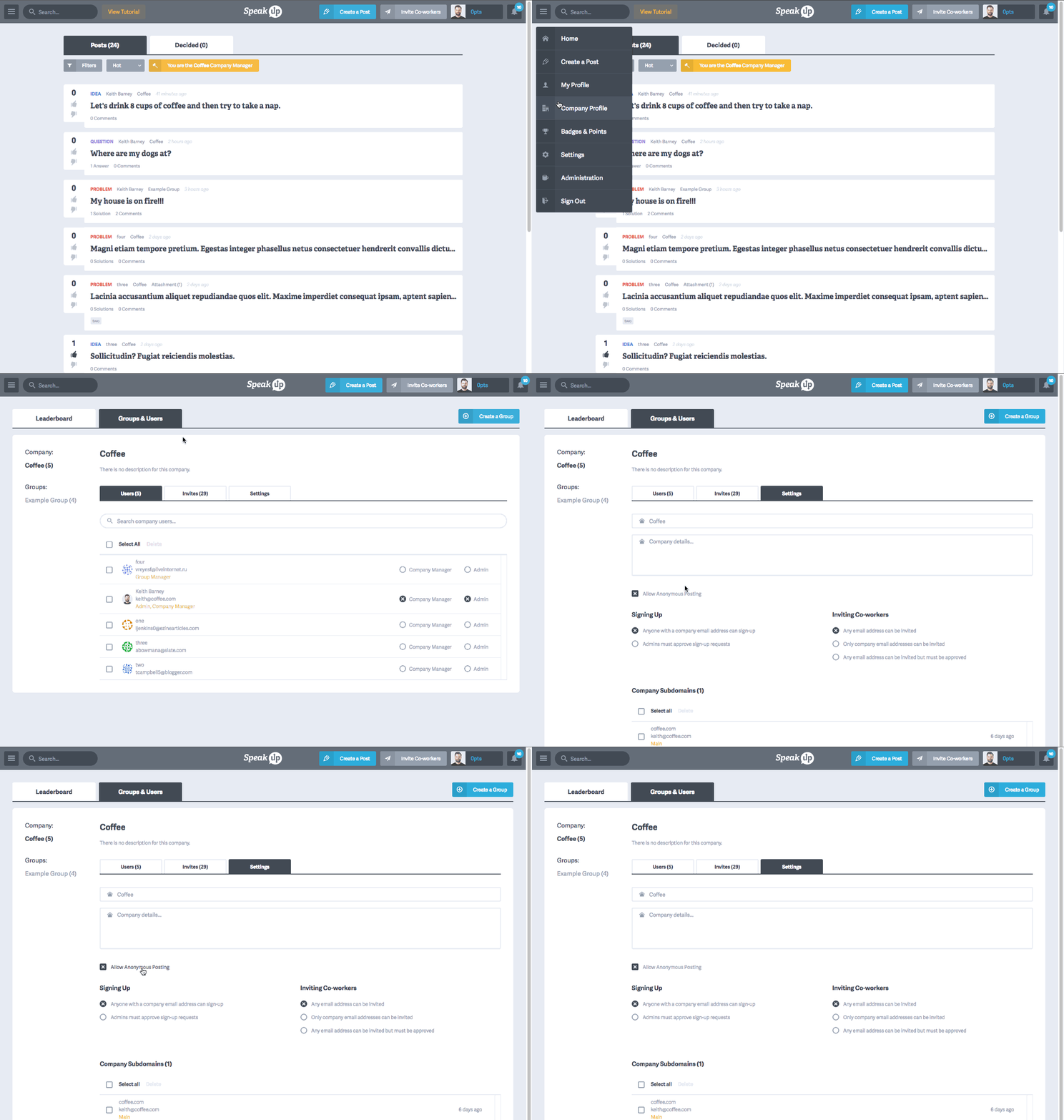
- Click "Company Profile" from the main menu
- Click the "Groups & Users" tab.
- By default, the "Users" tab is selected. Click the "Settings" tab.
- Scroll down to the "Allow Anonymous Posting" checkbox and check/uncheck this setting.
Set Anonymous Posting by default:
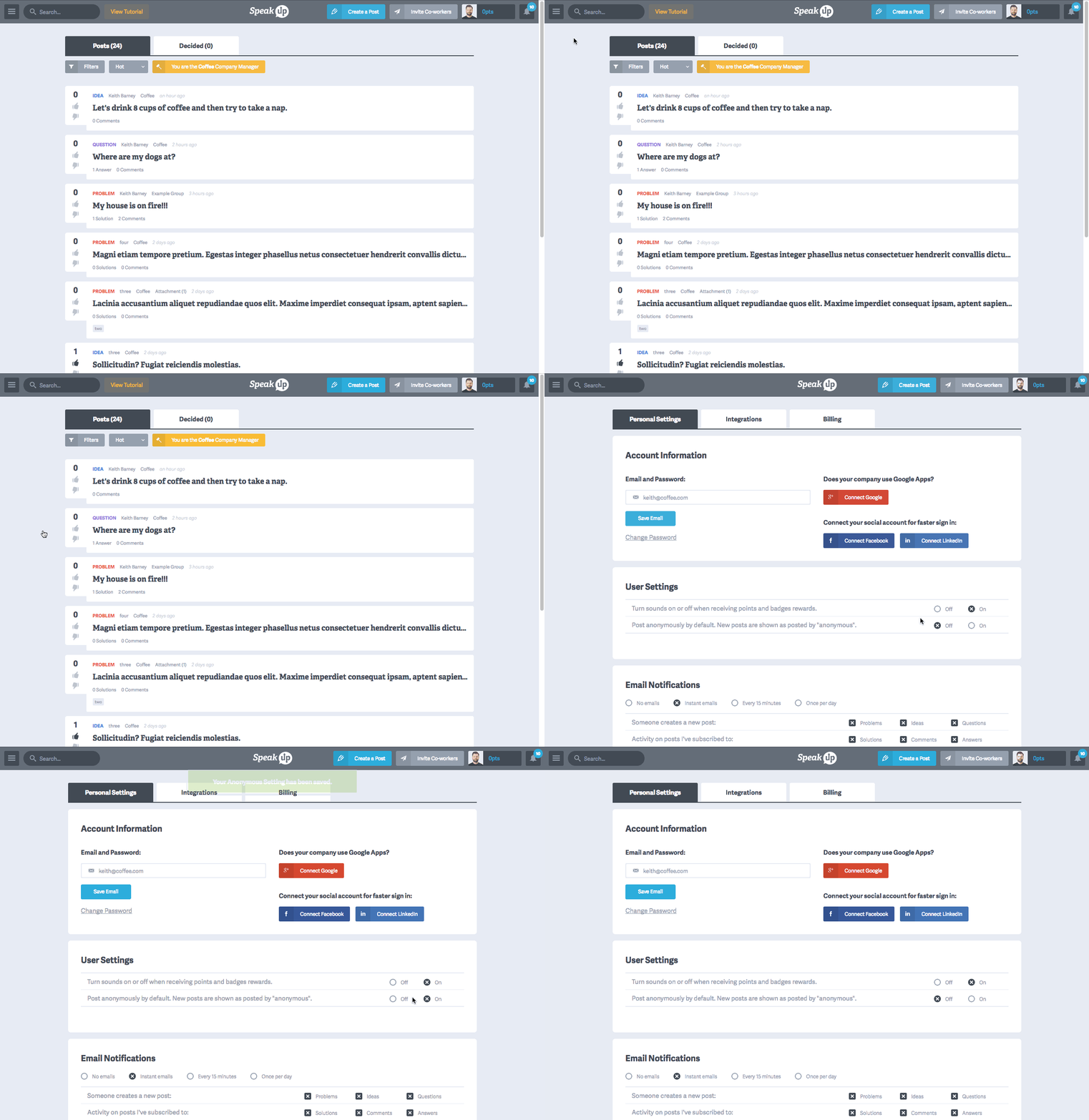
- Click "Settings" from the main menu
- Scroll down to the "User Settings" section.
- Turn Post anonymously be default" on or off.