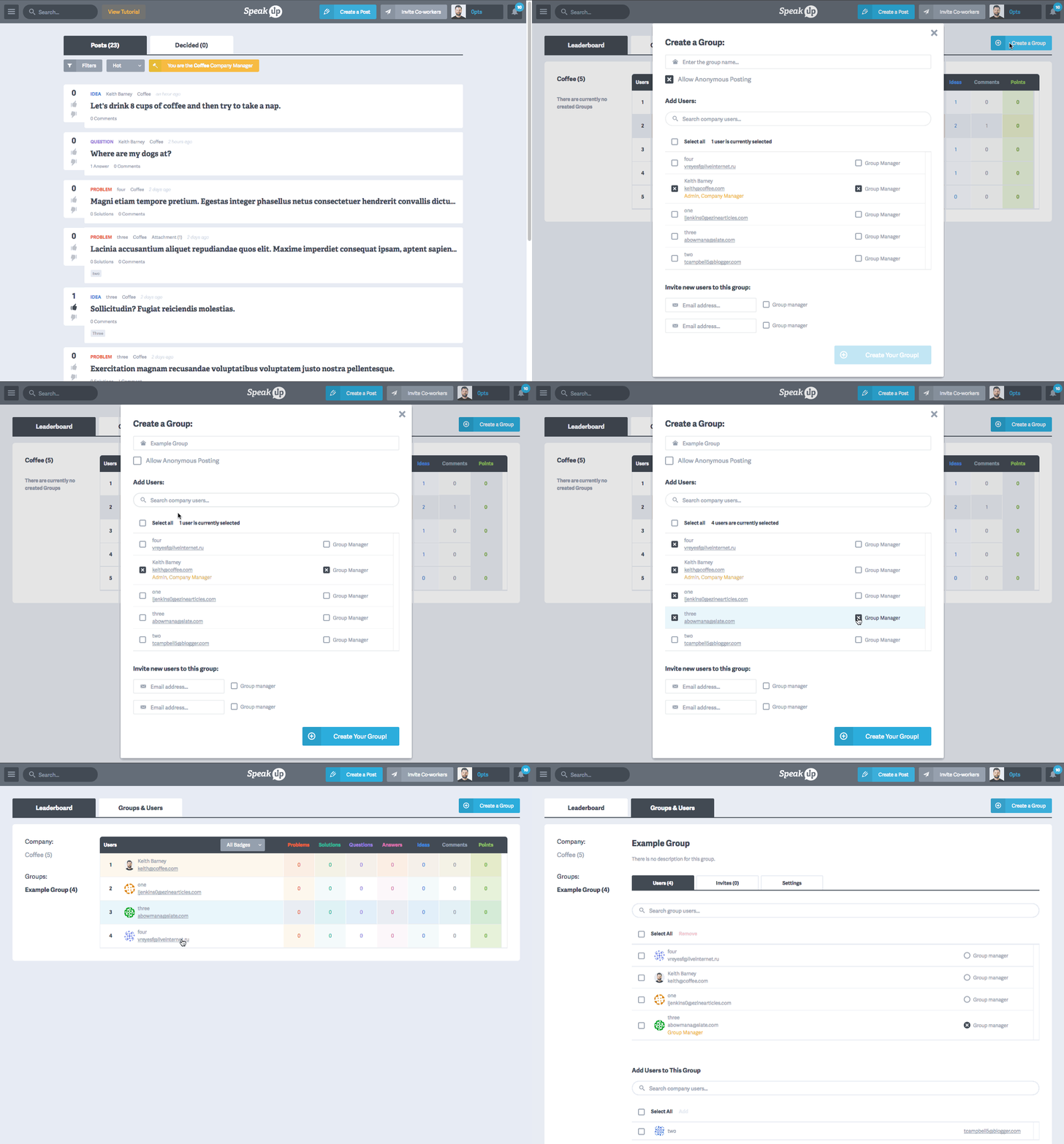
- Click from the main menu
- Click the button on the top right of the page
- Enter the name of the group you’d like to create
- Select (or deselect) the option (learn about Anonymous Posts)
- From the company list, select the people that will be part of this group. You can use the Search box to find specific co-workers
- Select a using the column to the right of each person
Important: There can only be one Group Manager