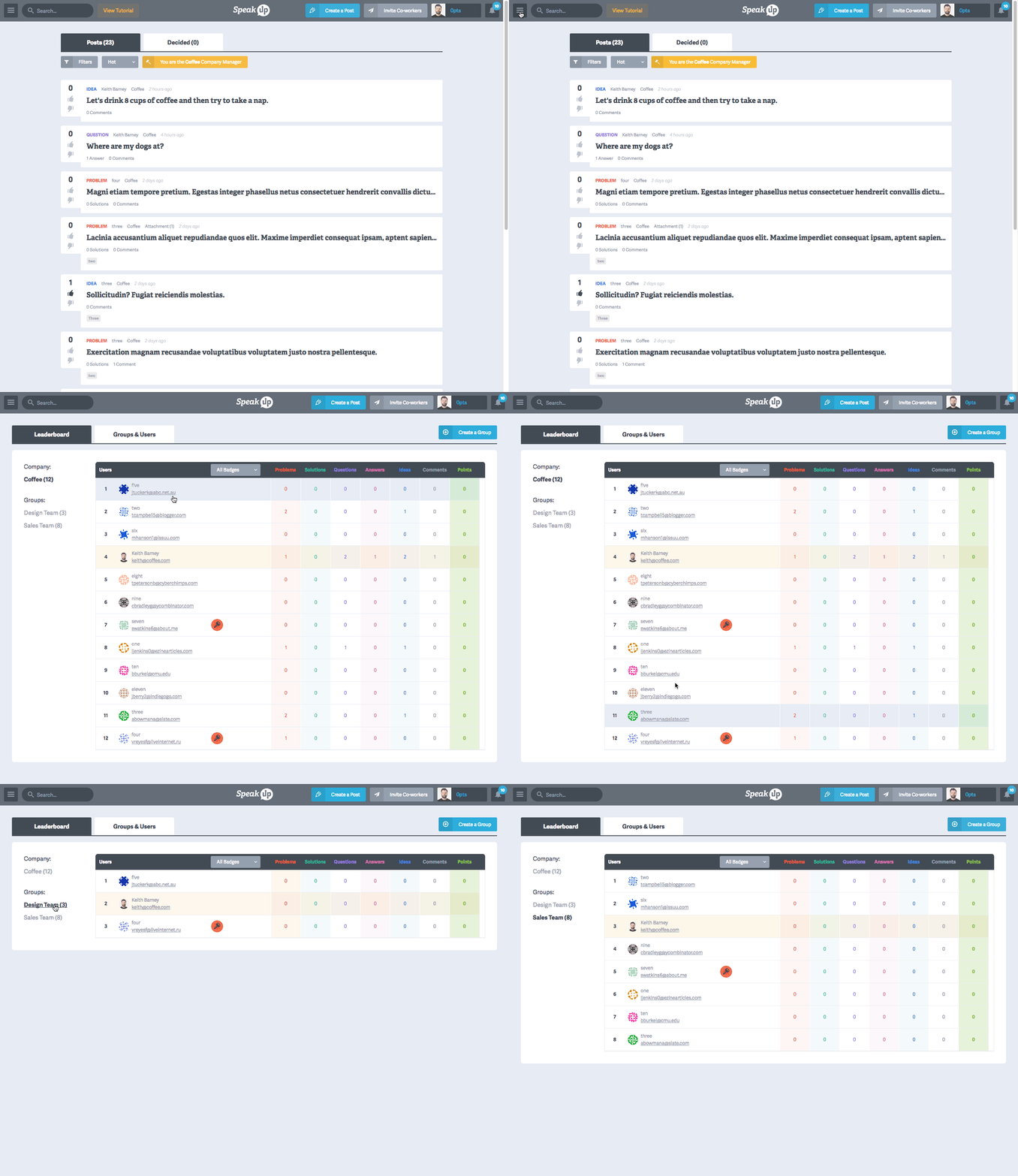
SpeakUp people can see how their activity ranks amongst their co-workers with the Company Leaderboard. It captures the amount of posts, comments and points each user accumulates. Here’s how to access your company’s leaderboard:
Click "Company Profile" from the main menu
By default, you are on the "Leaderboard" tab
Leaderboard Information:
Your user's row will be highlighted
People are ranked by points
You can see To view points by group, select a group from the left